Gate motor warning signs: repair, maintain or replace?
Slow gates, new noises, intermittent stops and recurring faults — how to tell a mechanical problem from an electronic one before you pay to replace the wrong thing.
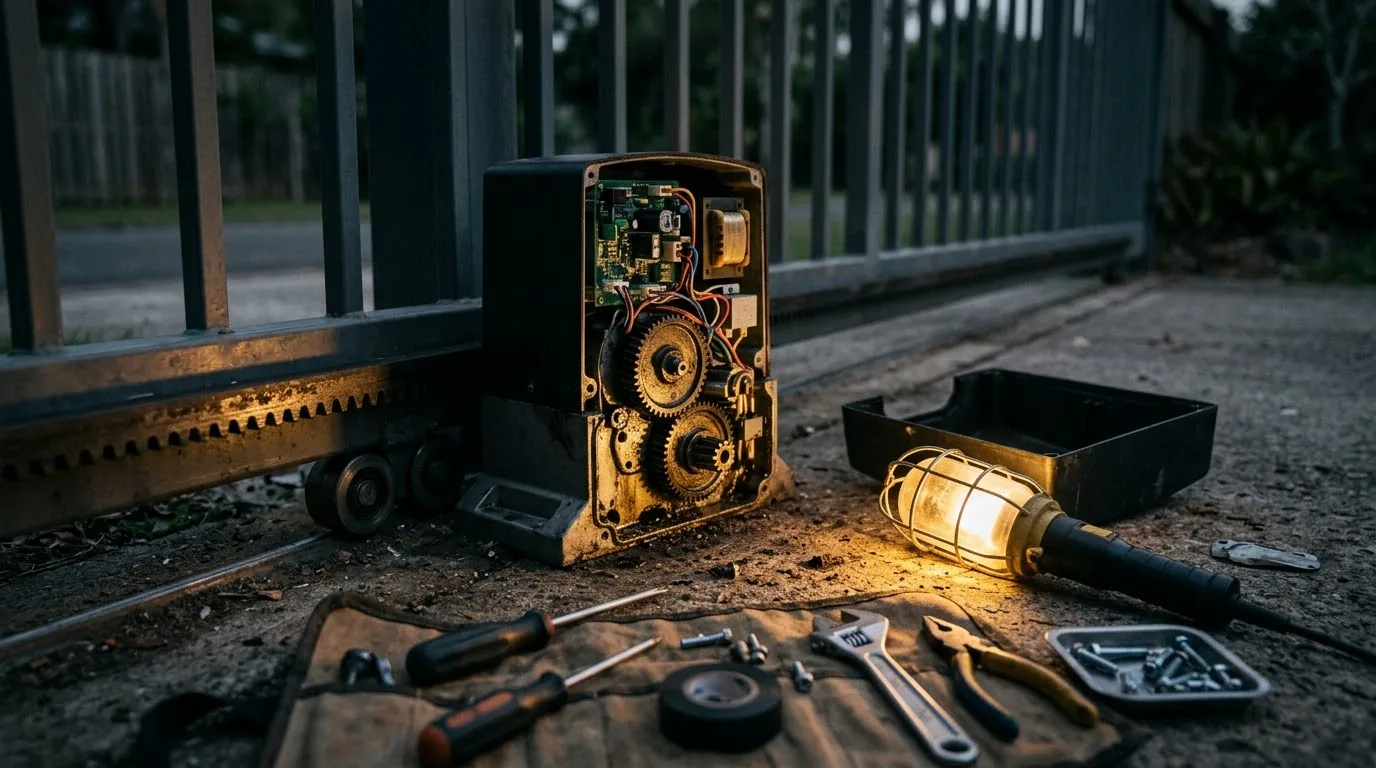
A gate that still moves can still be warning you. Slow travel, new noises, intermittent stops and a stiff manual release are usually treated as separate annoyances, and they are usually the same problem showing itself in different ways. Diagnosing the gate before the motor is what stops you paying twice.
The short version
- The motor is one part of a movement system. A dragging gate makes a healthy motor look faulty.
- Changes from normal are more diagnostic than any single noise. Track when it started.
- Repeated resets hide the pattern instead of fixing it.
- Replacing the operator without correcting the load moves the same fault onto new equipment.
- Power interruptions and surges are behind a large share of "sudden" gate failures.
Separate the gate from the motor
The operator is only one part of the system that moves your gate. A heavy, misaligned or obstructed gate makes the motor work far harder than it was specified for, and that extra load shows up as heat, slower travel, tripped obstruction detection, shortened battery life and eventually a failed board.
Before anything electronic is blamed, the physical gate should be checked: does it roll freely by hand with the motor released? Are the tracks clear and level? Are the rollers sound? Is the rack straight and correctly meshed? Are the physical end stops in place? Is anything rubbing, catching or dropping?
This distinction is the difference between a service and a replacement. A gate that has been dragging for two years will destroy a new operator in the same way it destroyed the last one.
WSN note:Release the motor and push the gate by hand. If it does not move easily and evenly along its full travel, you have a mechanical problem wearing an electronic mask.
Warnings that deserve an inspection
Changes from normal behaviour are more useful than any single symptom. A gate that has become slower, stops at a repeatable point, needs several remote presses, loses its limits, or behaves differently after a power interruption is telling you something specific.
- Movement has become slower, or uneven along its travel.
- Grinding, knocking or slipping sounds have appeared or changed.
- The gate stops or reverses without a visible obstruction.
- Remote range has dropped noticeably.
- The manual release is stiff, or no longer disengages cleanly.
- Limits are lost after an outage and have to be reset.
- The same fault returns within weeks of a repair.
The load shedding factor
Gate motors are the most demanding battery load on a typical residential property, drawing heavily in short bursts. Repeated outages cycle the battery far beyond the standby duty it was designed for, and lead-acid batteries that would ordinarily last three to five years have, through heavy load shedding, been replaced as often as every six months.
The surge when supply returns is the second half of the problem. The inrush damages control boards, and a damaged charging circuit then over- or under-charges the battery — producing intermittent, hard-to-reproduce faults that get blamed on remotes, receivers or the motor itself.
This is why so many gate failures feel sudden. The decline is invisible until the day a battery with half its capacity meets a gate with twice its intended drag.
- Fit surge protection on the supply feeding the operator.
- Test the battery under load, not at rest.
- Replace batteries on a schedule rather than at failure.
- Reduce mechanical drag — it is the cheapest way to extend battery runtime.
When repair is the right call
Repair is usually sensible when the gate structure is sound, spare parts remain available for the operator, and the fault is isolated. A worn roller, a misaligned rack section, a damaged limit sensor, a battery, a receiver or an accessory fault rarely justifies replacing the whole operator.
The decision should include the condition of the whole installation and the realistic likelihood of another major failure soon. A good quotation says what is being repaired, what remains original, what was found during inspection, and what testing will be completed afterwards.
| Situation | Usually points to |
|---|---|
| Single isolated fault, gate rolls freely, parts available | Repair |
| Recurring faults across different components | Investigate the load and supply first |
| Operator undersized for the gate weight | Replace with a correctly matched unit |
| Parts no longer available | Replace, and correct the mechanics at the same time |
| Repair costs approaching replacement without restoring reliability | Replace |
When replacement earns its cost
Replacement makes sense when major components are failing repeatedly, when the operator was never matched to the gate weight and usage, when safety or access features you now need cannot be supported, or when repair costs keep accumulating without restoring reliable operation.
A replacement is also the natural moment to correct everything around the motor: gate movement and tracks, physical end stops, cabling, surge protection, backup power sizing, access devices, and how the gate reports into the rest of the security system. Doing that work while the operator is off is far cheaper than returning for it later.
- 01Confirm the gate weight and usage pattern, then match the operator to it.
- 02Correct tracks, rollers, rack and end stops before the new unit goes on.
- 03Fit surge protection and size the battery for realistic outage duration.
- 04Set and document the limits, obstruction sensitivity and safety devices.
- 05Test the manual release and show everyone in the household how it works.
- 06Confirm what the gate does when power returns after an outage.
WSN note:Do not choose from the motor label alone. Gate weight, travel, usage frequency, power conditions and connected accessories all decide what the right operator is.
What a real service visit covers
Gate automation is one of the few security components with genuine moving parts, which means it degrades on a predictable schedule rather than randomly. An annual service is not upselling; it is the reason some installations run for a decade and others fail in three years.
A proper visit covers the mechanics and the electronics together: track and roller condition, rack alignment and mesh, physical stops, hinge and post condition on swing gates, motor mounting, battery health under load, charger output, limit accuracy, obstruction detection, safety beams, receiver and remote range, and the manual release.
- Tracks, rollers, rack mesh and physical end stops.
- Battery tested under load; charger output verified.
- Limits and obstruction sensitivity re-checked.
- Safety beams aligned and tested.
- Manual release exercised and lubricated.
- Remote and receiver range confirmed.
Common questions
Why is my gate motor slow?
Most often mechanical drag, a weak battery, or a damaged charging circuit following a surge. Release the motor and push the gate by hand first — if it does not roll freely and evenly, the mechanics are the place to start.
Should I keep resetting an intermittent gate motor?
Repeated resets hide the pattern without correcting it. Record when the fault happens — time of day, after an outage, in the wet — and arrange an inspection while the pattern is still fresh.
How long should a gate motor battery last?
Ordinarily three to five years. Through periods of heavy load shedding, replacement as often as every six months has been common, because repeated deep discharge permanently reduces capacity.
Can a new motor be fitted to an old gate?
Usually, provided the gate itself is sound and the new operator is matched to its weight and travel. Fitting a new motor to a dragging gate simply transfers the original problem to new equipment.