Security that only reacts is already too late.
A panic button tells a control room that something is wrong. It doesn't tell them where, what, or how bad. Traditional armed response works off that one signal — a beacon on a map — and drives out blind, hoping the address is right and the threat is still there.
Every minute between the button and boots on the ground belongs to no one. No footage, no location trail, no way to tell a false alarm from someone's worst night. That gap — not the criminal — is the part of the system nobody had fixed.
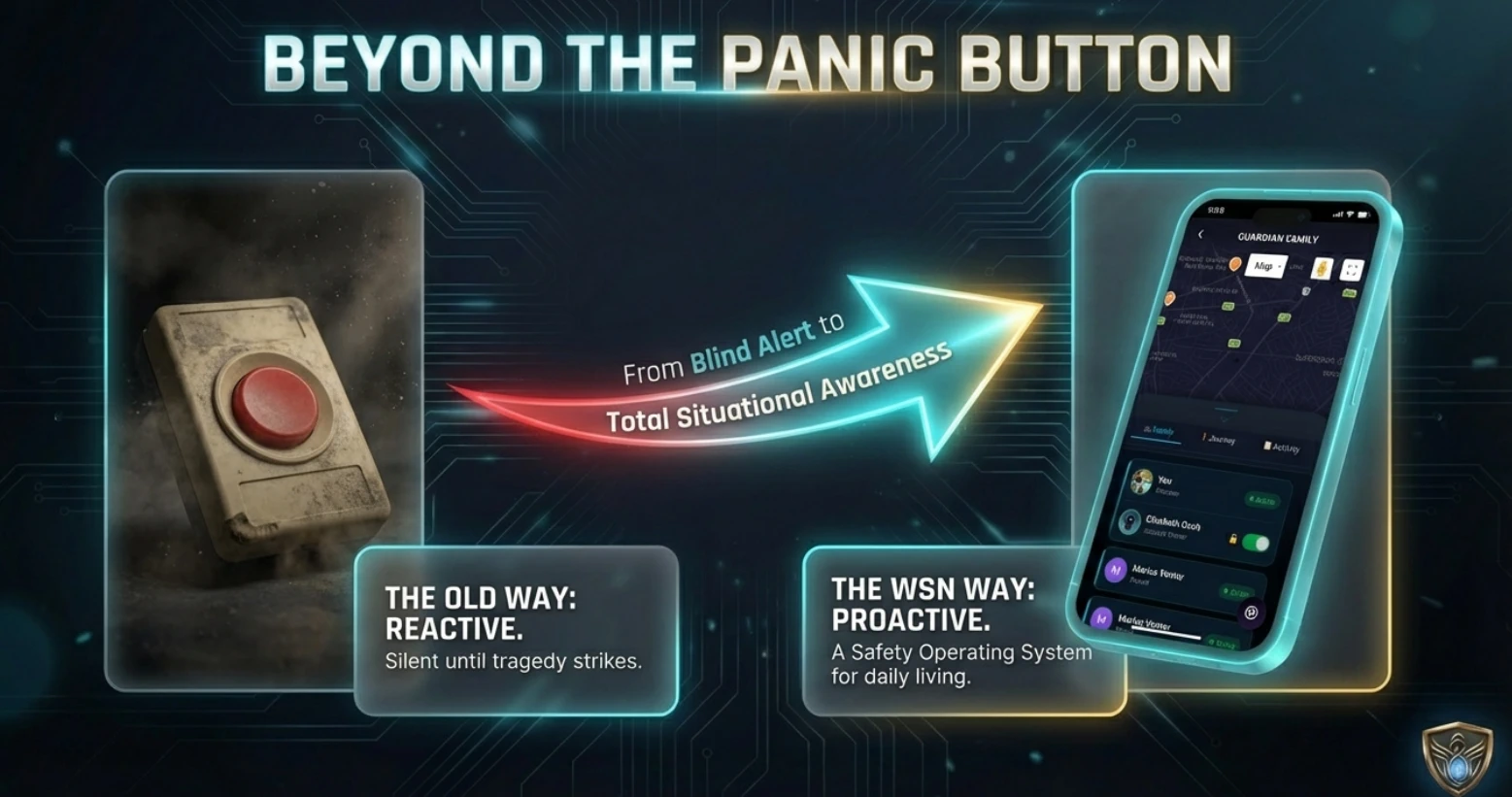
WSN Guardian's answer: replace a silent alarm with a live, proactive picture of what's actually happening — before it becomes a tragedy, not just after.
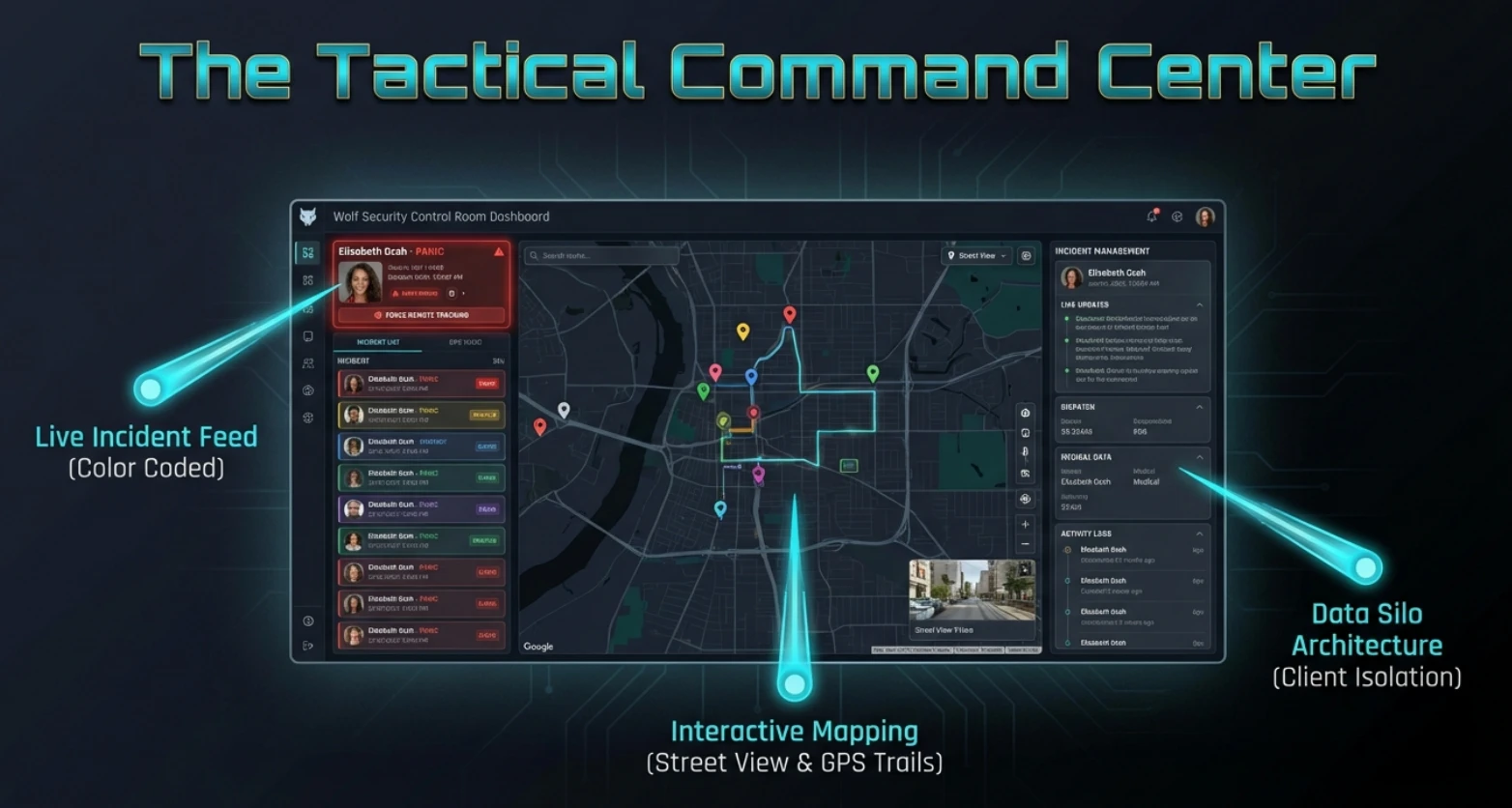
- Live incident feed, colour-coded
- Interactive mapping — street view & GPS trails
- Data kept isolated per client
Not just an app.
WSN Guardian is a security platform with its own live control room. The mobile app is what a family, driver, or employee carries with them; the control room portal is where an operator picks up what that app reports — an incident, a location, a duress signal — and does something about it.
Neither half works without the other. That's the difference between an app that sends a push notification and a platform that's actually watching.
Who it is, and what the paramedic needs to know.
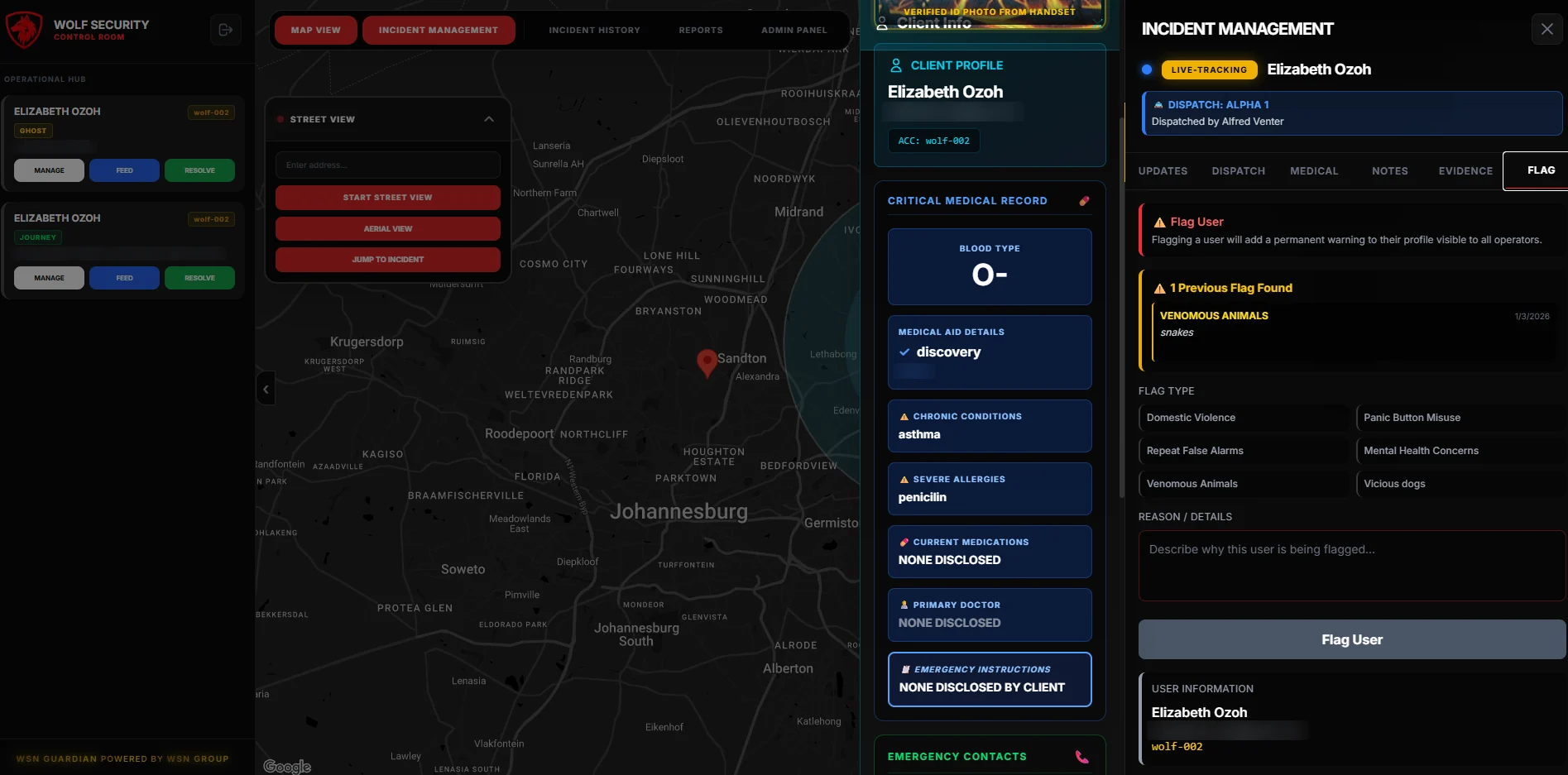
An operator opening an incident sees a verified photo for positive identification and the medical summary a responder would otherwise have to ask for at the worst possible moment. The subscriber keeps that record current from their own profile screen.
The dual-PIN protocol sits alongside it: a standard PIN disarms, a duress PIN appears to disarm while silently escalating to the control room.
- Verified ID photo on the incident
- Medical summary available to responders
- Standard PIN disarms normally
- Duress PIN escalates silently
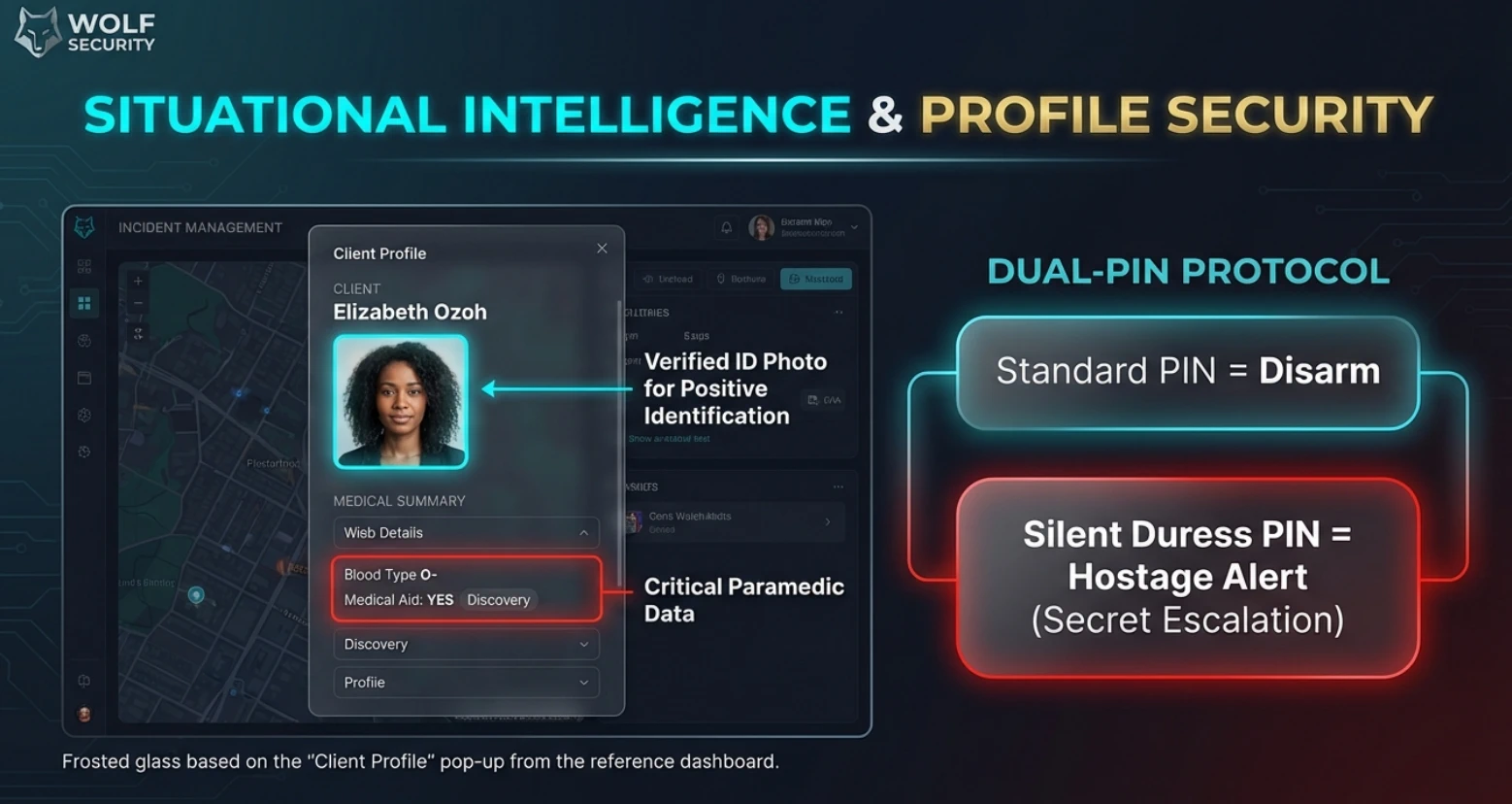
Shown under a demo partner brand — the operator view a response company gets on day one.
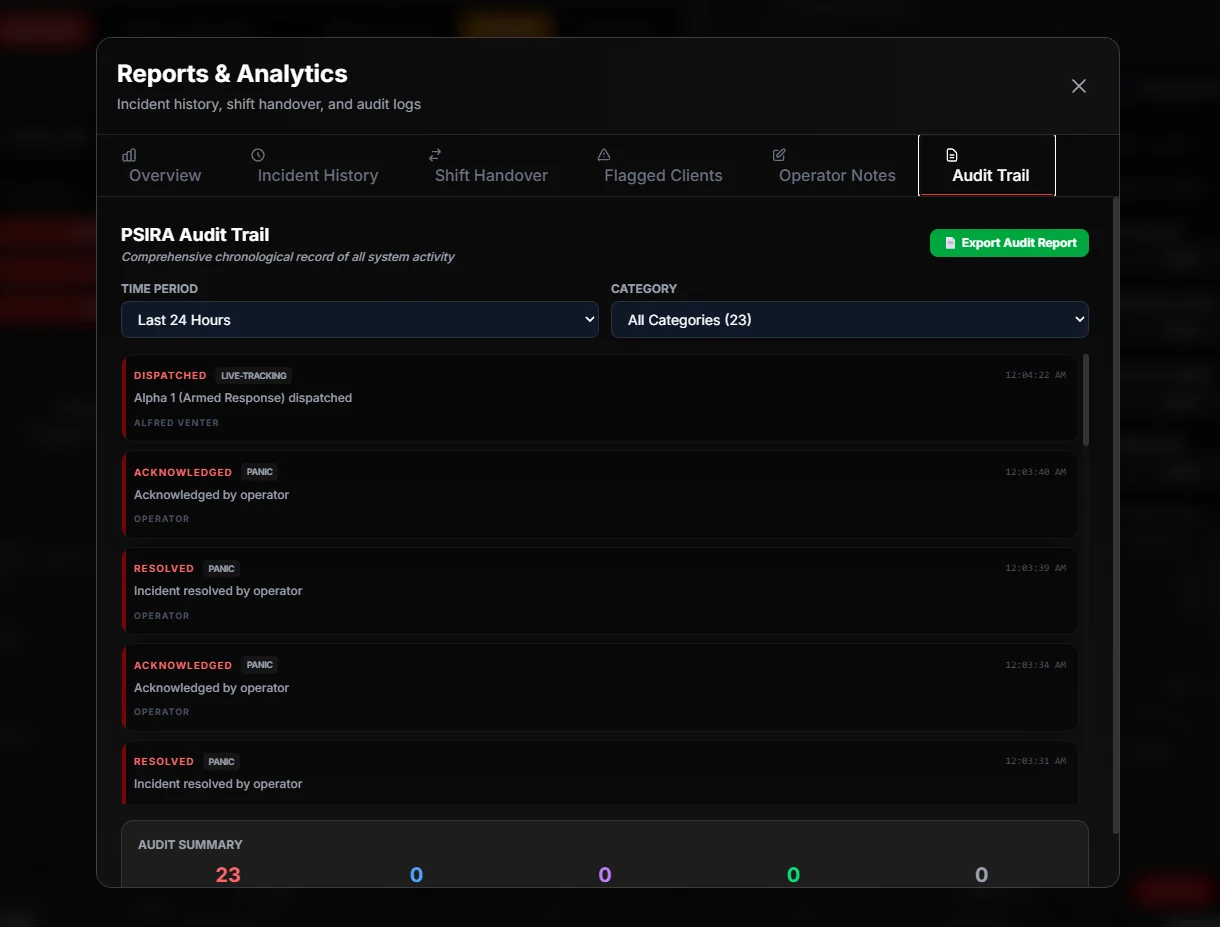
Reports & Analytics, open on the audit trail.
Every action, on the record.
Reports & Analytics keeps the control room's paperwork in one place: incident history, shift handover, flagged clients and operator notes, alongside an audit trail that logs each dispatch, acknowledgement and resolution with the time it happened and who did it.
The trail is labelled for PSIRA record-keeping, filters by time period and category, and exports as a report. When a client, an insurer or a regulator asks what happened and when, the answer is already written down.
- Incident history and shift handover
- Flagged clients and operator notes
- Time-stamped audit trail, exportable
Everything a family or a fleet needs, in one place.
Four core capabilities run underneath everything Guardian does. Every screen below is a capture from the live app — not a mock-up.
Mobile Control
Arm/disarm, view live feeds, and manage access from anywhere in the world.
AI-Assisted Alerts
Smart filtering cuts false alarms — get notified only when it matters.
Control Room Portal
Dedicated operator dashboard for monitoring multiple sites in real-time.
Instant Notifications
Push alerts, SMS, and email — all configurable per zone and user.
The Home Screen
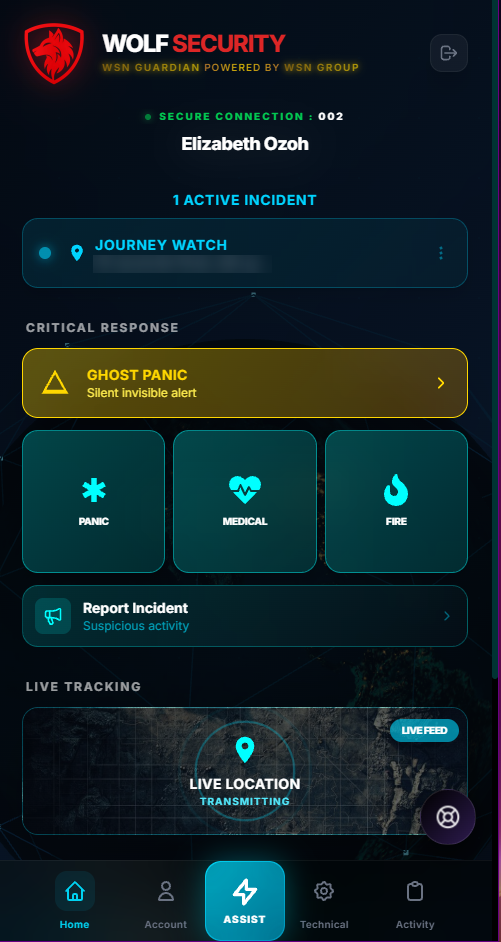
Panic, medical and fire in one tap, a silent ghost-panic alert, and live tracking — all running under the response company’s own branding rather than ours.
Drag to turn the screensSwipe to turn the screens
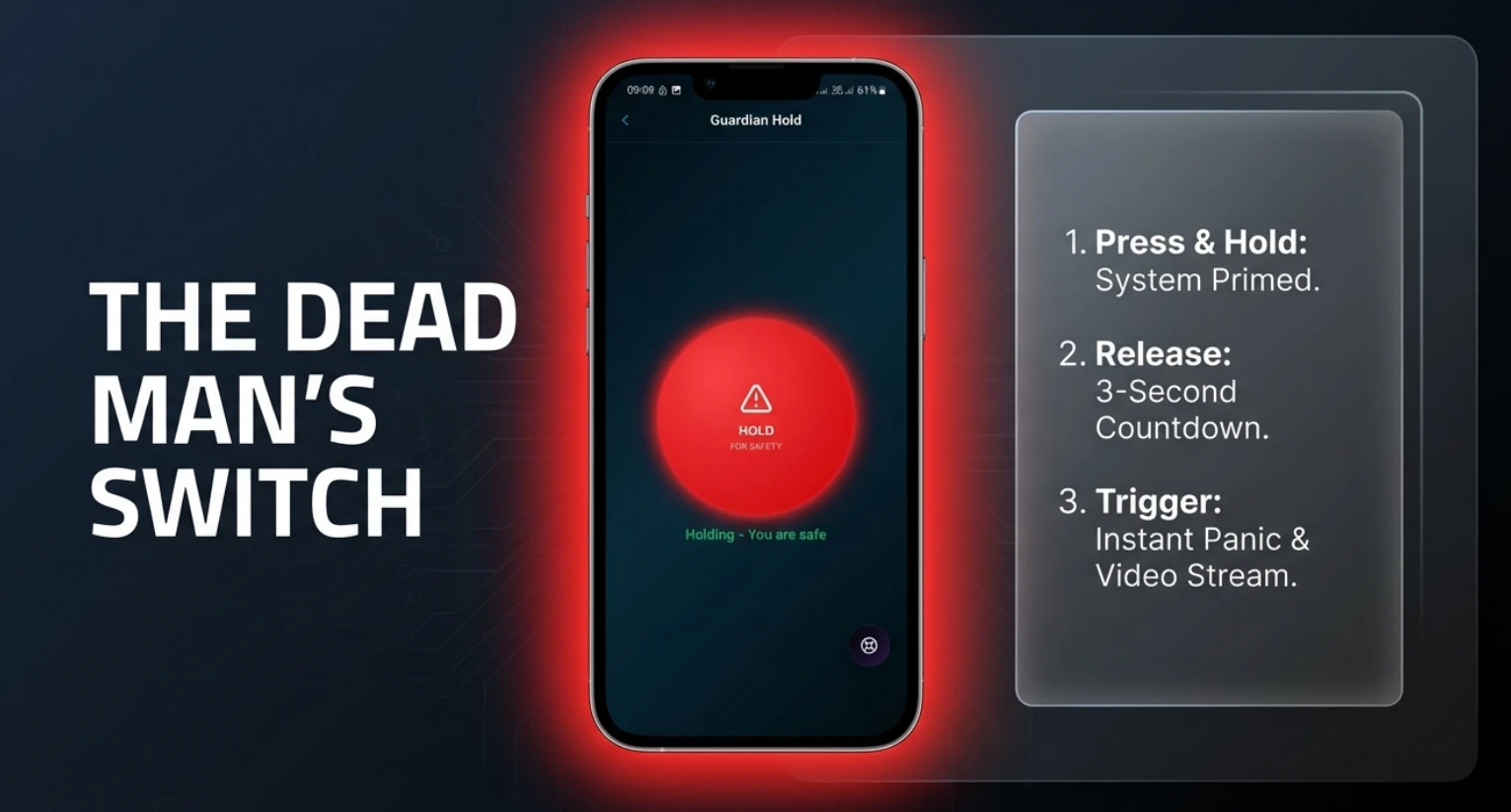
A dead man's switch, in your hand.
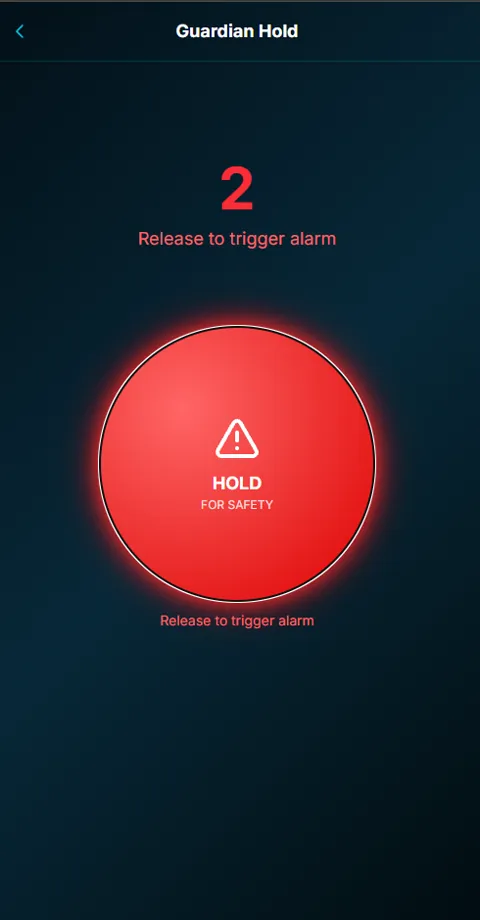
Holding the button means you are safe. Letting go means you are not. Instead of hoping somebody can find and tap a panic button under pressure, Hold inverts it — a subscriber walking to their car keeps a thumb down, and releasing starts a visible countdown to a full alert and video stream.
The countdown matters. It is what separates a deliberate alert from a dropped phone, and it is why the control room can trust the signal when it arrives.
Ghost Panic.
The invisible lifeline.
A visible panic screen can make a dangerous situation worse. Ghost Panic sends a silent emergency alert while the client's phone gives no obvious sign that help has been requested, allowing the control room to respond without drawing attention to the alert.
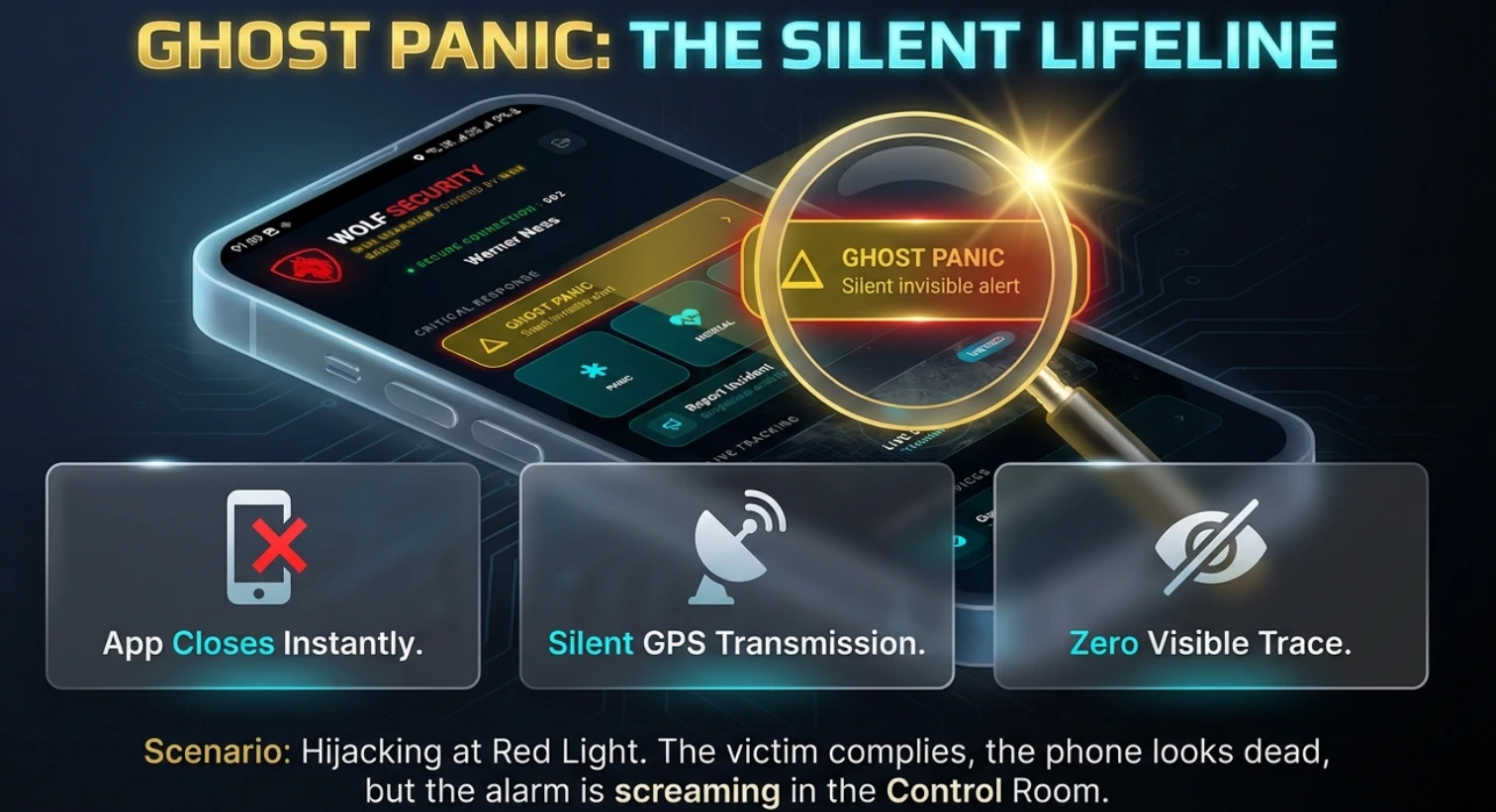
The client triggers the alert discreetly, without leaving an obvious emergency screen visible to somebody nearby.
Position and status continue reaching the control room while the phone gives nothing away.
Operators receive the critical alert and the location context needed to begin the response workflow.
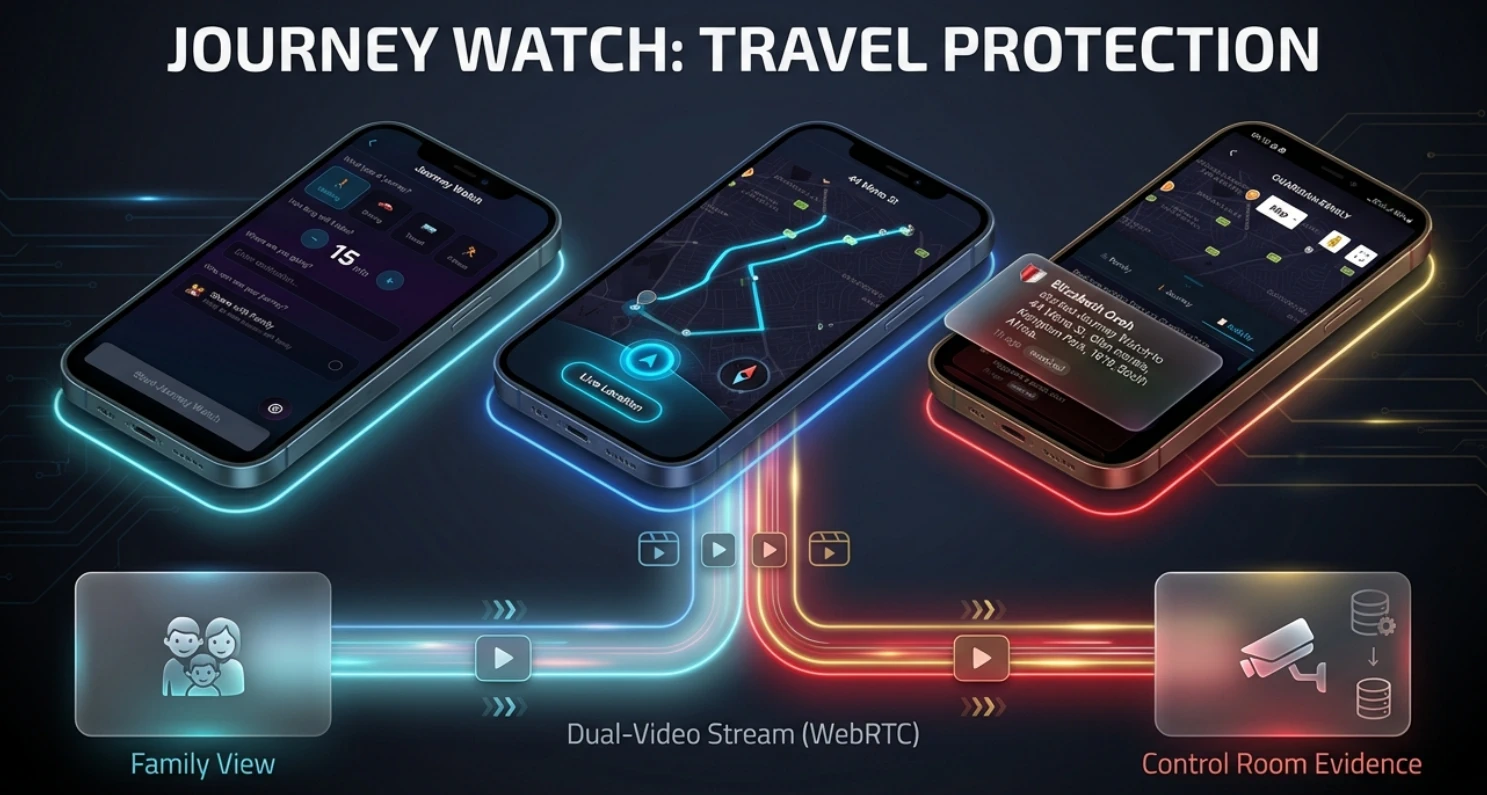
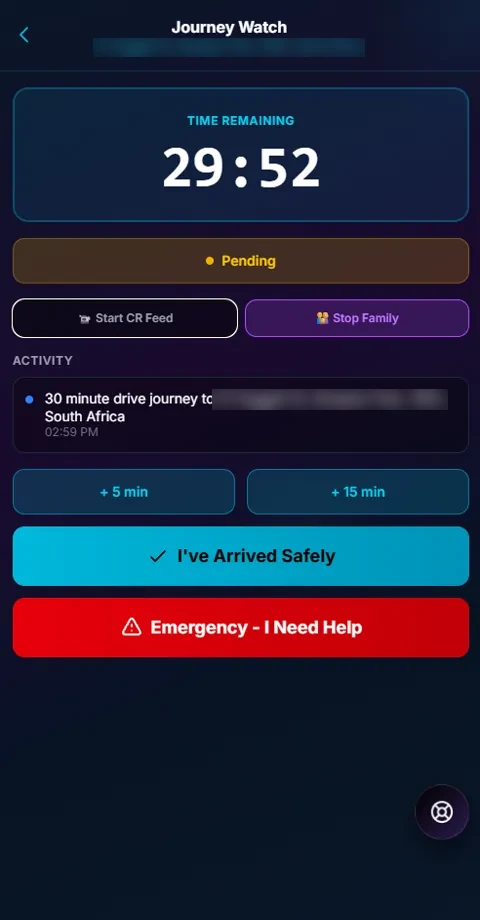
Watched until you arrive.
A journey is started with a destination and a time. It stays active until the subscriber confirms arrival, and while it runs, both the family and the control room can see it — two audiences with different needs, served from the same trip.
From the live screen the subscriber can open a control-room feed, push an update to family, add time if they are running late, or escalate straight to an emergency. Family journeys and the family map put everyone's status in one place instead of a chat thread nobody is watching.
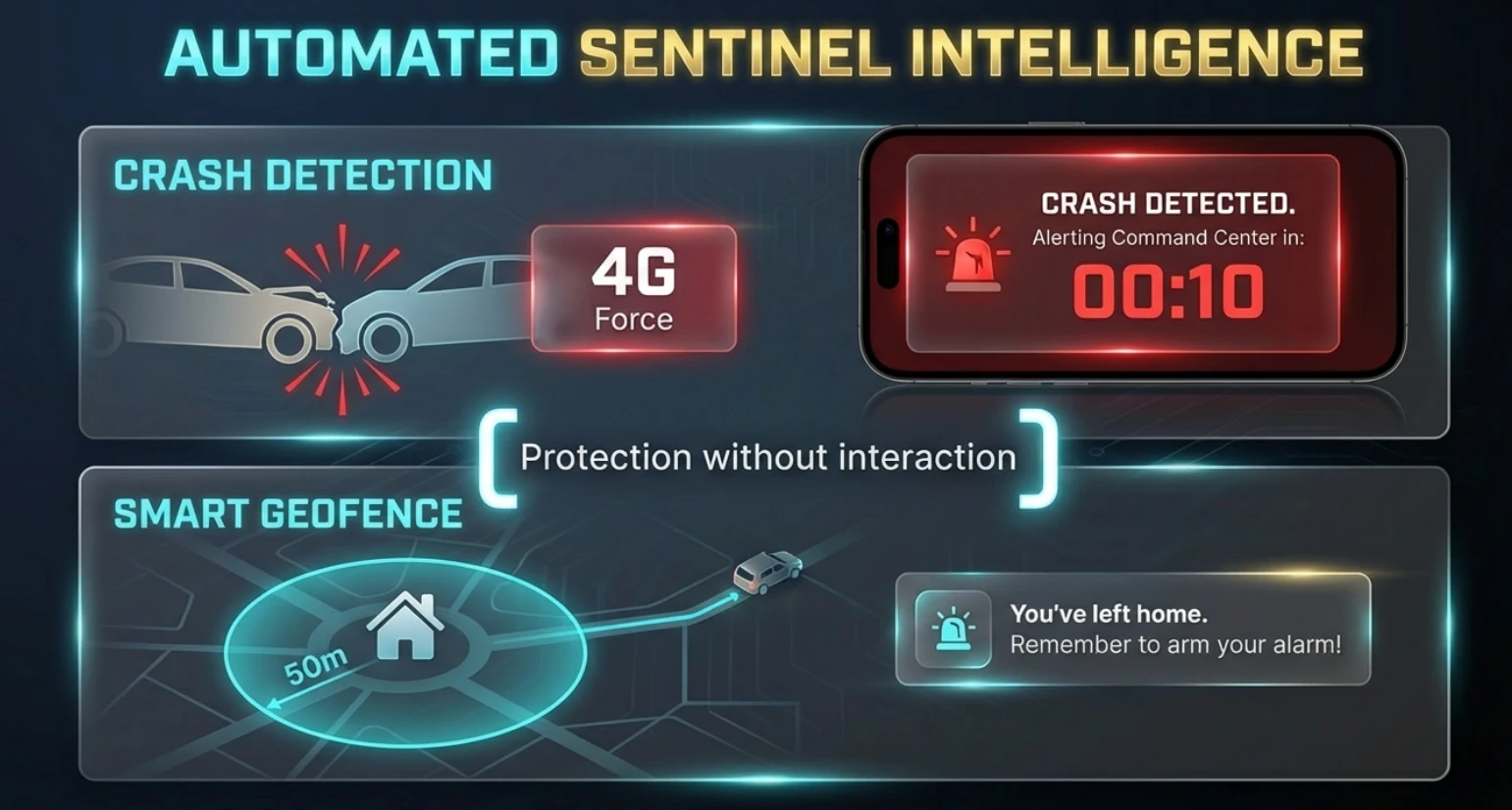
Protection without interaction.
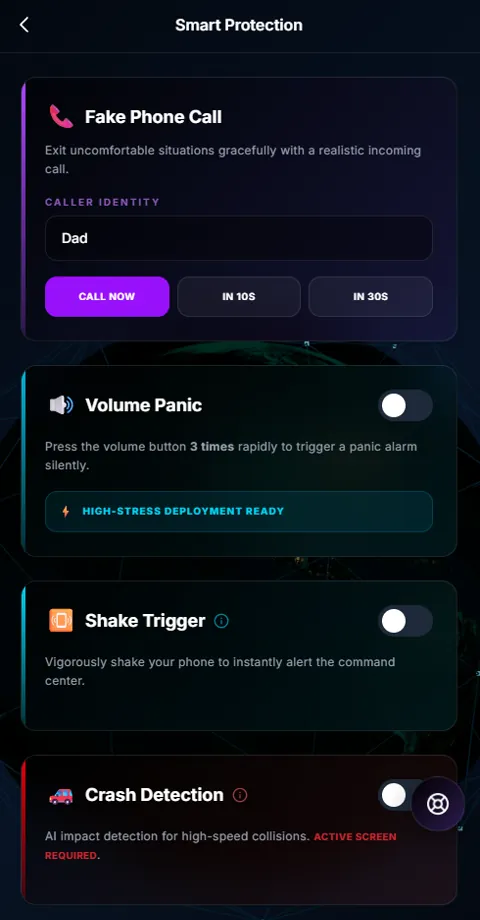
The hardest emergencies are the ones where nobody can reach a phone. Crash detection raises an alert on impact and gives a short window to cancel before the command centre is notified. A smart geofence catches the ordinary failure instead — leaving home without arming the alarm.
Alongside them sit the deliberately low-key tools: a realistic fake incoming call to leave a situation gracefully, a volume-button panic pressed three times, and a shake trigger for when the screen is not an option.
The details responders ask for first.
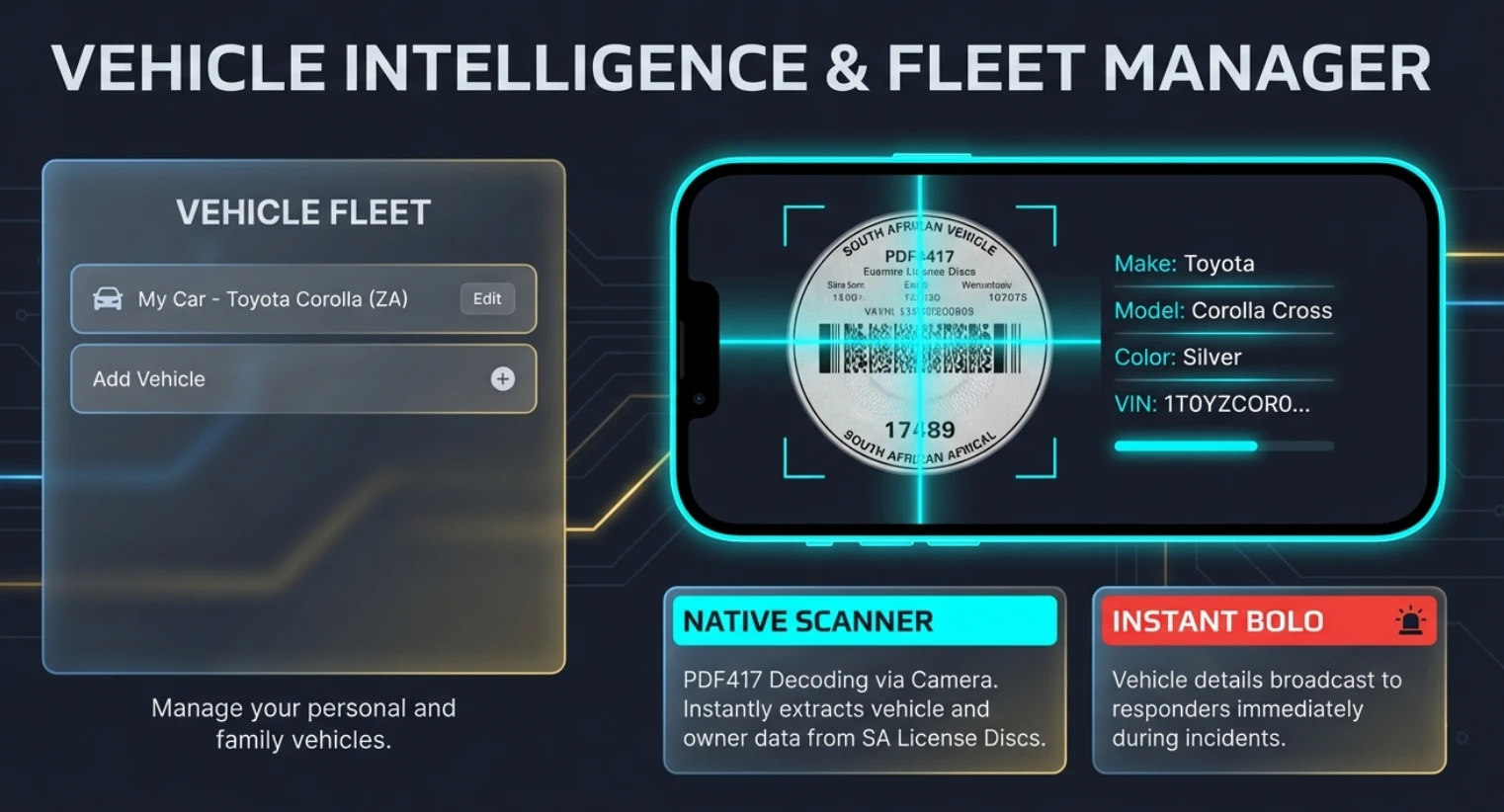
In a hijacking, the first questions are always the same: what was the vehicle, and what did it look like. Guardian captures that in advance by scanning the PDF417 barcode on a South African licence disc, so make, model, colour and VIN are already on file.
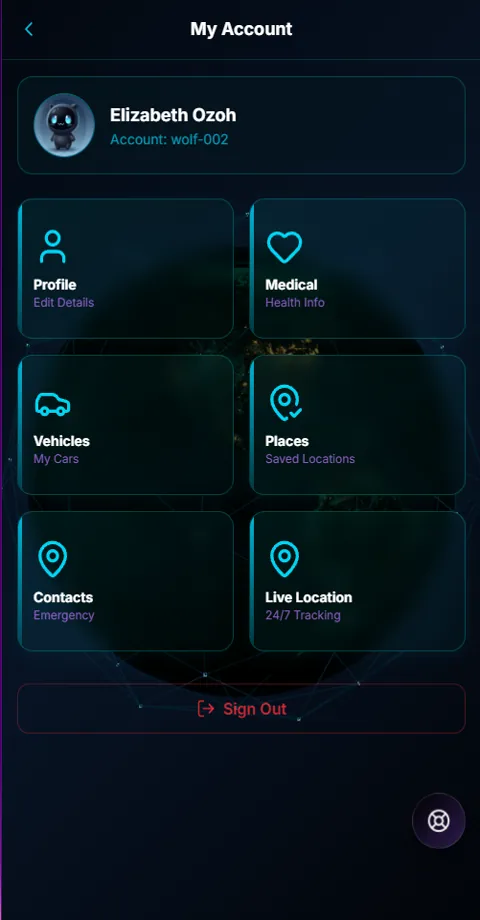
During an incident those details go out to responders immediately, from the same profile the subscriber maintains alongside their medical information, saved places and emergency contacts.
Run your own Guardian, under your own name.
WSN Guardian isn't only sold to end users. The whole platform — subscriber app, control room and admin portal — can be white-labelled, so a response company runs it under its own brand.
Below is the real product under a demo partner brand, at all three points: the admin sign-in, the control room, and the app in a subscriber's pocket.
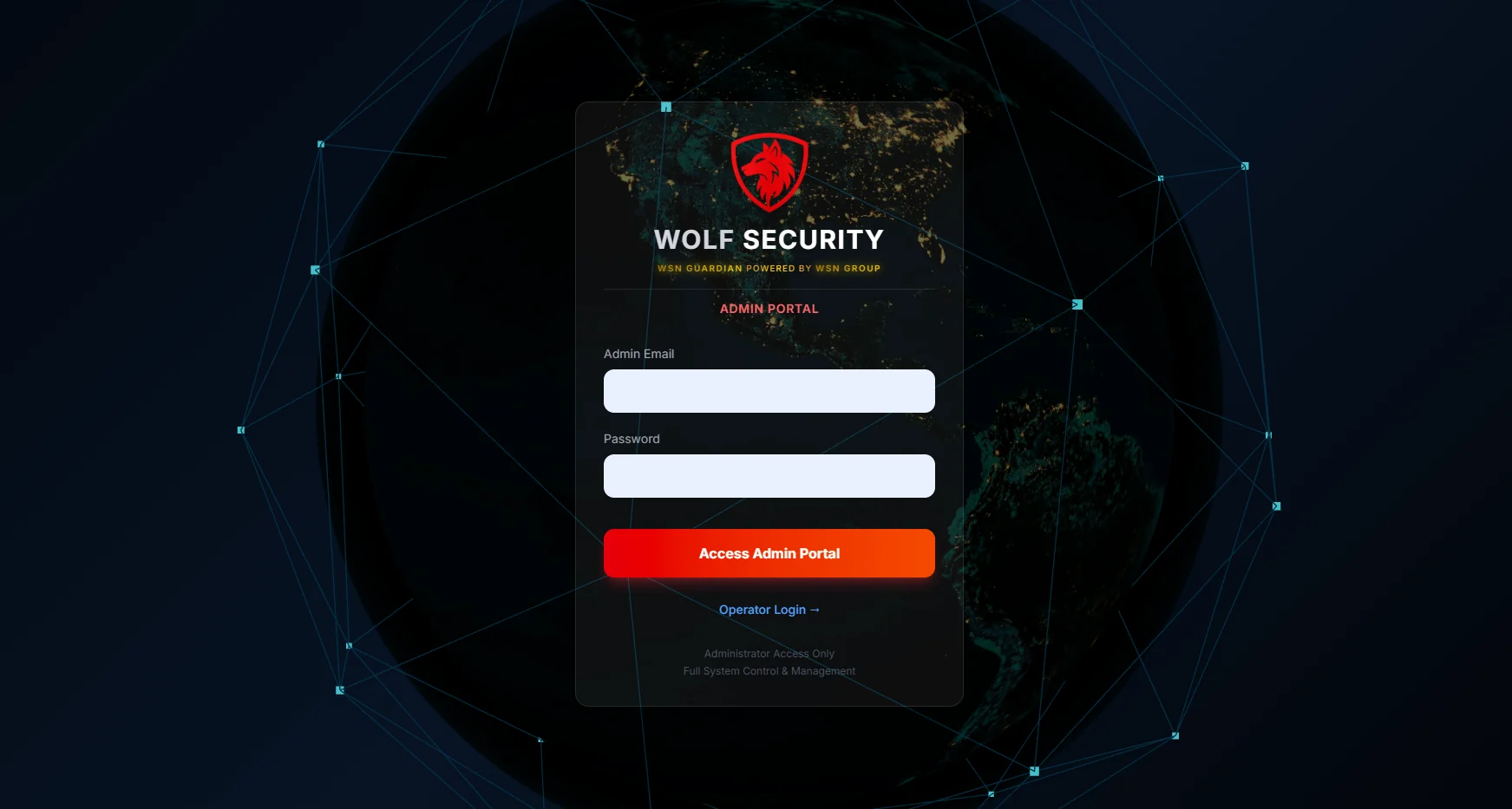
Admin portal. Your own sign-in for administrators and operators, with your name and logo on it.
Control room. Incidents, dispatch, live tracking, the client’s medical record and flags, under your brand.
Subscriber app. Your logo on the home screen above panic, medical, fire and Ghost Panic.
The outlined boxes mark the partner's brand. On a live partner platform, your name and logo sit there instead.
- Your name leadsYour logo and name on the app, the control room and the admin sign-in.
- Your control room, your operatorsAdministrators and operators sign in to your portal, not ours.
- Client data kept separateEach partner’s subscribers are isolated from every other partner’s.
- The full incident workflowDispatch, live tracking, medical records, notes, evidence and client flags in one incident view.
- Records you can hand overIncident history, shift handover, operator notes and an exportable audit trail.
- Every subscriber featureGhost Panic, Guardian Hold, Journey Watch and Smart Protection, under your brand.
Start with a conversation.
No fixed packages are listed here. Every white-label setup depends on the business asking for it, so the next step is a conversation, not a price list.
Enquire about white-labelingWSN Guardian appears only as a small “powered by” line beneath your name.
Read more before you decide.
Keeping subscribers when nothing goes wrong
Armed response is a grudge purchase: invisible when it works, judged on price at renewal. How a branded app gives subscribers a reason to stay.
Read the article
What a panic alert should tell your control room
A panic signal says something is wrong. Operators also need where, who, what kind, and what responders should know. A checklist for control room managers.
Read the article
When a panic button can make things worse
In a hijacking or home invasion, a visible alarm can escalate things. How silent alerts, duress PINs and hands-free triggers get help without showing it.
Read the articleTalk to Werner about Guardian.
See the app and the control room for yourself before you decide anything. WhatsApp or call — whichever's easier.