When a panic button can make things worse
In a hijacking or home invasion, a visible alarm can escalate things. How silent alerts, duress PINs and hands-free triggers get help without showing it.
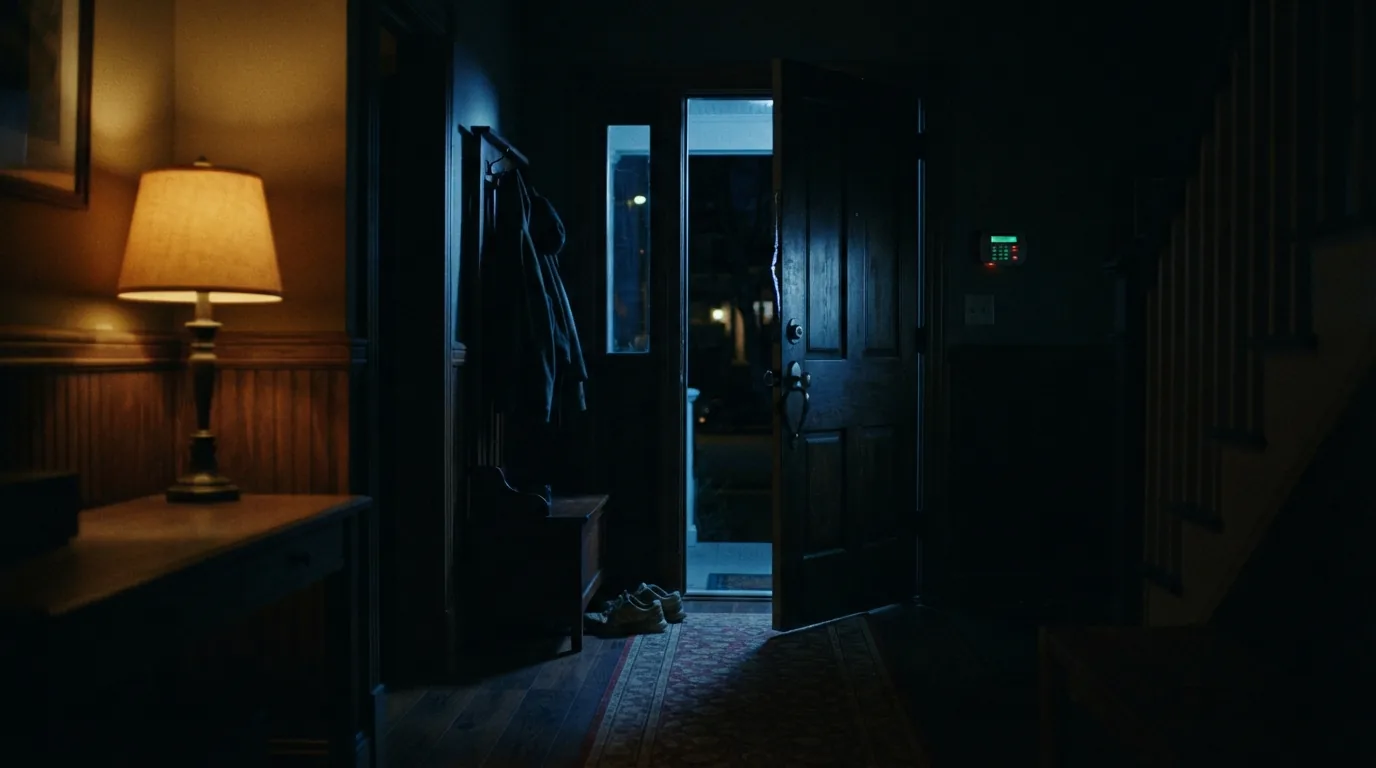
Most panic buttons are designed to be obvious: a large red button, a loud siren, a screen announcing that help is on the way. In many emergencies that is exactly right. But in the situations people fear most, a hijacking at a red light or an armed intruder in the house, the attacker is watching. An alarm they can see or hear can turn a robbery into something worse.
The short version
- In an armed confrontation, the safest course is usually to comply calmly. A silent alert lets you call for help while you do.
- Ghost Panic sends a critical alert to the control room and closes the app, so the phone shows nothing.
- A duress PIN appears to disarm normally while sending a hostage alert.
- Hands-free triggers, such as pressing the volume button three times, work from inside a pocket or a bag.
- Set these up and practise them before you need them. Under stress, people do what they have rehearsed.
When a visible alarm is dangerous
Security advice for armed confrontations in South Africa is consistent: do not resist, keep your hands where they can be seen, move slowly, and tell the attackers what you are about to do. If there is a child in the car, say so. The aim is to get through the next few minutes without giving anyone a reason to panic or lash out.
A conventional panic button sits awkwardly with that advice. Reaching for a phone, a screen lighting up red, or a call coming back from the control room can all be seen or heard. The very act of calling for help can look like resistance.
A silent alert resolves that conflict. You comply outwardly, while the control room is told, with your location, that something is seriously wrong.
WSN note:Your life is worth more than your car or your phone. A silent alert is for getting help without changing what the attacker sees.
Ghost Panic: the alarm that disappears
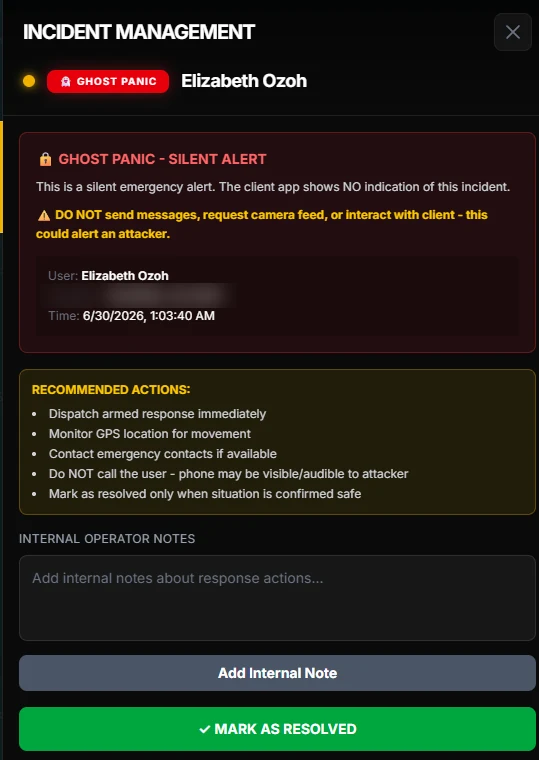
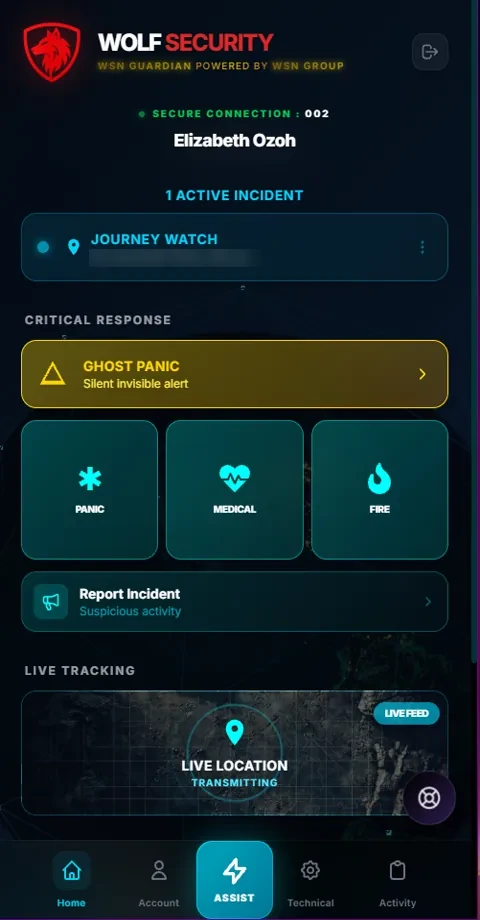
Ghost Panic is a tile on the Guardian home screen. One tap sends a critical alert to the control room with your location, and the app then closes completely, returning the phone to its normal home screen. To anyone looking at it, nothing has happened.
In the control room, the opposite is true. The incident arrives marked as a silent alert, and the operator is told that your app shows no sign of it. Their instructions are explicit: dispatch immediately, watch your location for movement, contact your emergency contacts if possible, and do not call you, message you or request video, because any of those could alert the attacker.
The duress PIN
Sometimes an attacker demands that the alarm be switched off. A duress PIN exists for that moment. You have two PINs: your normal one, which disarms as usual, and a duress PIN, which looks exactly like disarming.
In Guardian, entering the duress PIN makes the app appear to restart as if nothing unusual had happened, while a hostage alert goes to the control room. The attacker sees compliance. The control room sees a subscriber under duress and responds accordingly.
Many home alarm systems offer the same idea on the keypad: a duress code that silences the siren while sending a silent signal to your armed response company. If your alarm supports one and it has never been set up, ask your installer.
WSN note:Choose a duress PIN you can recall under pressure without thinking, and make sure every adult in the house knows theirs.
Calling for help without touching the screen
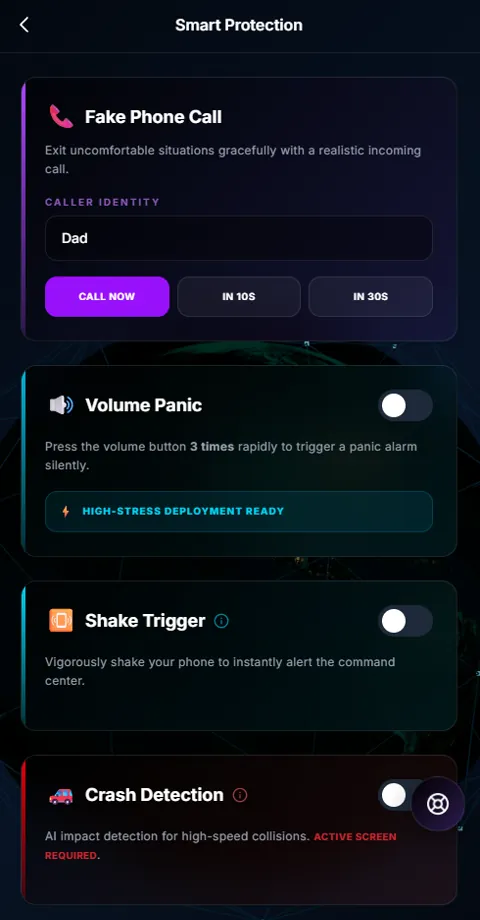
Even a silent tap means taking the phone out and looking at it, and sometimes that is not possible. Guardian’s Smart Protection screen offers triggers that work without the screen.
- Volume panic: press the volume button three times quickly. It works with the phone in a pocket or a bag.
- Shake trigger: shake the phone vigorously to alert the control room. Its sensitivity can be adjusted so it does not fire by accident.
- Fake phone call: a realistic incoming call, now or in ten or thirty seconds, gives you a reason to leave an uncomfortable situation.
- Guardian Hold: keep a finger on the screen while you walk somewhere you feel unsafe. Let go, and a three-second countdown starts before the alarm is raised.
Set it up before you need it
Under stress, people fall back on what they have practised. A silent alert you have never used is one you may not remember, or may fumble. A few minutes of preparation changes that.
- 01Find Ghost Panic on your home screen, and know where it is without having to look for it.
- 02Set your duress PIN, and make sure the adults in your household know theirs.
- 03Turn on the hands-free triggers that suit you, and set the shake sensitivity so it does not fire in your pocket.
- 04Complete your profile: a recent photo, medical details, your vehicles and emergency contacts, so responders know who and what they are looking for.
- 05Ask your response company how to test the features without causing a real callout, and practise once.
- 06Talk to your family about what each alert means and what to do if they receive one.
What happens after you press it
Once a silent alert has gone, keep complying. The control room is already working: dispatching a team, following your location as it updates, and reaching your emergency contacts where it can. Do not look at your phone for confirmation. The absence of any sign is the design doing its job.
When you are safe, contact your response company and tell them so. Operators are instructed to resolve a silent alert only once the situation is confirmed safe, and your confirmation helps them close it properly.
What a silent alert cannot do
No app replaces judgement, and no alert works without a connection. A phone with no signal or a flat battery cannot send anything, and location is less precise indoors or between tall buildings. Keep your phone charged, know where your nearest safe places are, and treat a silent alert as one layer of protection rather than the only one.
The other layers still matter: an alarm system with a working duress code, a gate that closes quickly behind you, and the habits that keep you alert at the moments you are most exposed.
Common questions
Will the attacker see that I pressed Ghost Panic?
The app closes and the phone returns to its normal home screen, so there is nothing on the screen to see. The control room is also instructed not to call or message you, because a ringing phone could give you away.
What if I press it by accident?
Contact your response company as soon as you can and tell them. Ghost Panic needs a deliberate tap on its own tile, and Guardian Hold and crash detection both give you a countdown before the alarm is raised.
Does the duress PIN work on my home alarm too?
Guardian’s duress PIN works in the app. Many alarm panels have their own duress code on the keypad, set up by your installer. If yours supports one, it is worth having both.
My response company does not offer this. Can I still get it?
Guardian is offered through armed response companies, under their own name. Share this article with yours. If they would like to offer it, they can contact us on WhatsApp.