The walk to the car and the drive home
Many incidents happen in between: at the gate, in a parking garage, on a late drive home. How journeys, holds and family check-ins cover those moments.
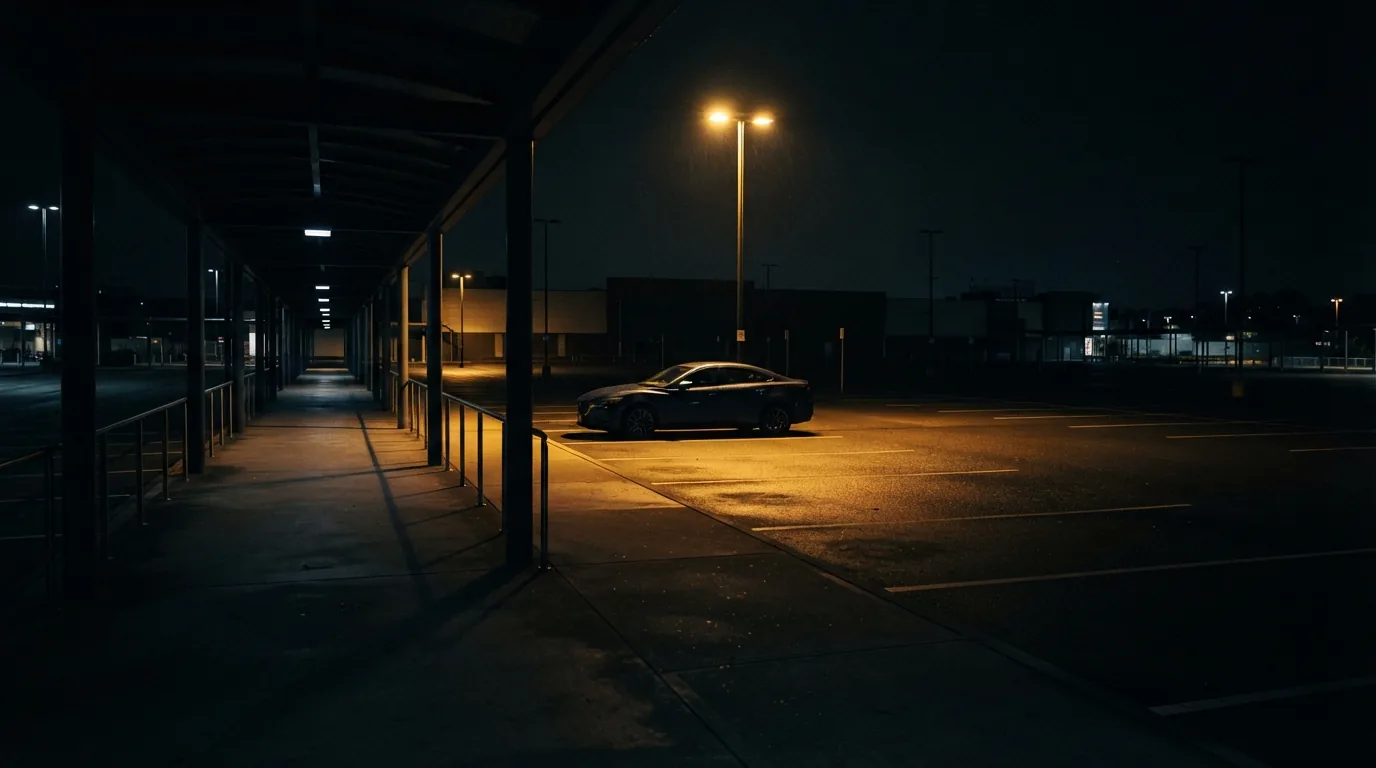
Homes in South Africa are often well protected. Walls, electric fences, alarms and armed response all exist to keep the house safe. People, though, spend much of their lives somewhere else, and many of the moments they feel most exposed happen in between: turning into the driveway, walking across a dark parking garage, driving home late on a quiet road.
The short version
- Arriving home, leaving work and long or late drives are moments when the protection on your house does not reach you.
- Journey Watch shares a timed trip with your family and the control room, and escalates on its own if you do not arrive.
- Guardian Hold covers short walks: hold the screen while you are safe, let go if you are not.
- Crash detection raises an alert after a hard impact unless you cancel within ten seconds.
- The family map shows where everyone is and how much battery their phone has, and the whole family is told when one of them raises a panic.
Where people are most exposed
Think about the places you feel least safe. For most people the list is short and specific: the gate while it opens, the walk from the office to the car after dark, a quiet stretch of road at night, a garage where the lights are on a timer. None of them is inside the house, which means none of them is covered by the systems protecting it.
These moments share two things. They are brief, so preparing for them can feel like overkill. And they are predictable, which is exactly why criminals plan around them. Gate hijackings, for example, depend on a driver being stationary and distracted at a known spot.
WSN note:You cannot guard every moment, but you can guard the predictable ones, and those are the ones criminals plan around.
Journey Watch: someone expecting you
The simplest safety measure there is: someone who knows where you are going and when you should get there. Journey Watch turns that into something that works even when nobody is sitting by the phone.
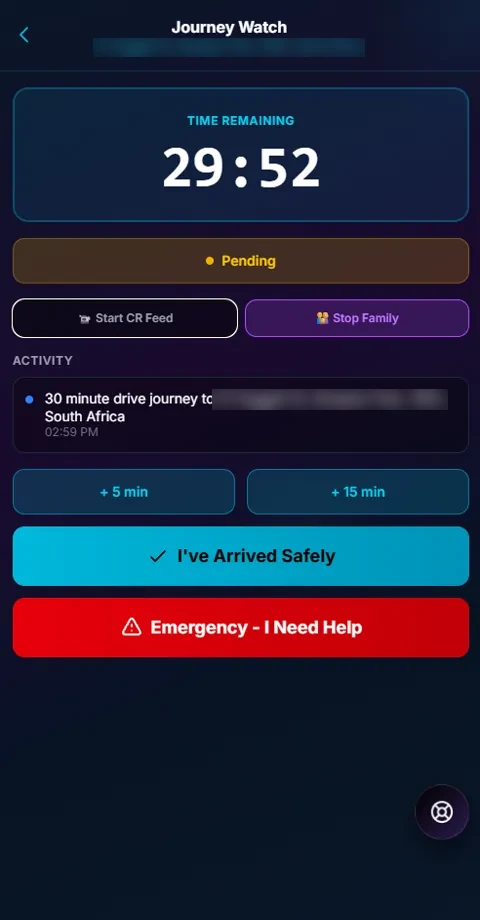
You start a journey with a destination and a time. While it runs, your family can follow it and the control room can see it too. When you arrive, you tap to say you are safe. If the timer runs out first, the journey escalates on its own, so a trip that ends somewhere it should not gets attention even if you cannot ask for it.
From the journey screen you can start a feed to the control room, stop sharing the trip with your family, add five or fifteen minutes if you are running late, or raise an emergency straight away.
Journeys worth watching
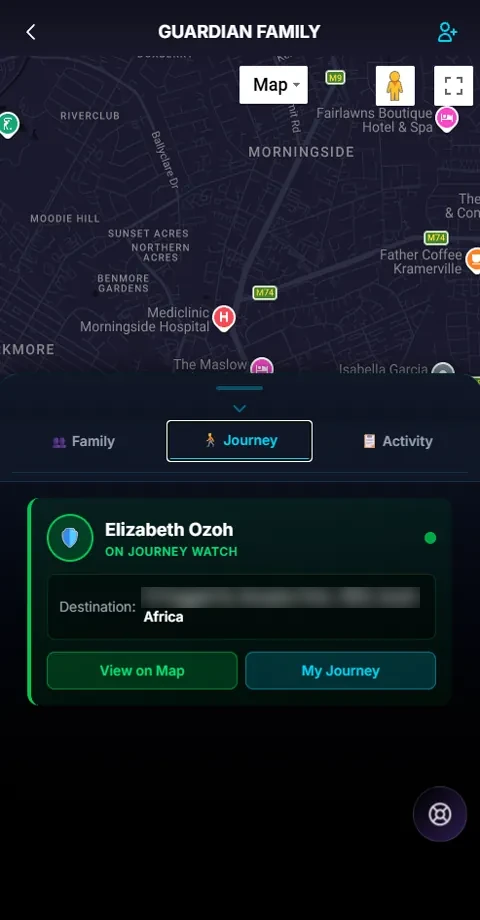
Journey Watch is most useful on trips with a clear end point and a sensible time limit. Family journeys let a parent follow a child’s trip from their own phone, and the family view shows who is travelling and where to.
- A teenager driving home from a friend’s house at night.
- A parent driving between cities, or an older relative on a long trip alone.
- A late-night ride with a ride-hailing service.
- Shift workers leaving work after dark.
- Runners and cyclists on early-morning routes.
Guardian Hold: for the short walks
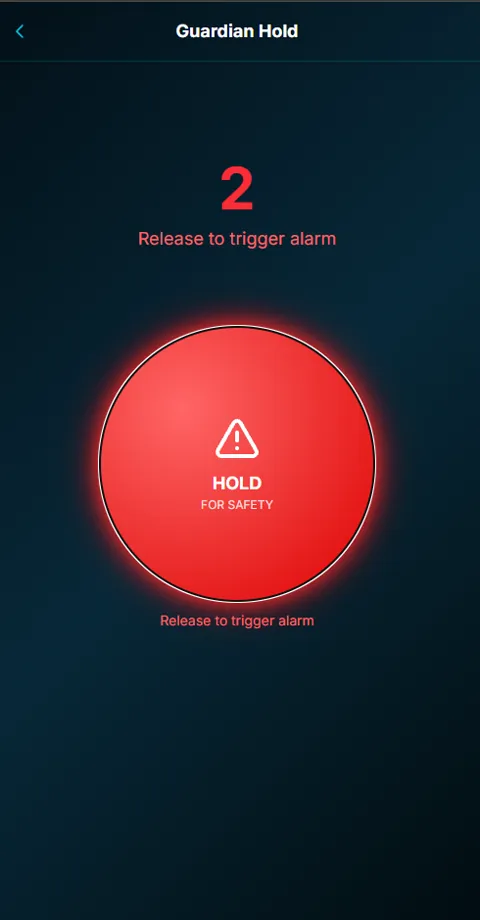
Some moments are too short for a journey. The walk across a parking garage takes two minutes. For those, Guardian Hold works like a dead man’s switch: you press and hold the button on the screen while you walk, and as long as your finger stays down, you are fine.
If something happens and you let go, whether you were grabbed, dropped the phone or chose to, a three-second countdown starts. When it ends, the alarm goes to the control room with a video stream, and the screen tells anyone looking at it that help is on the way.
The value is that you do not have to do anything in the moment of danger. Letting go is enough.
When you cannot ask for help
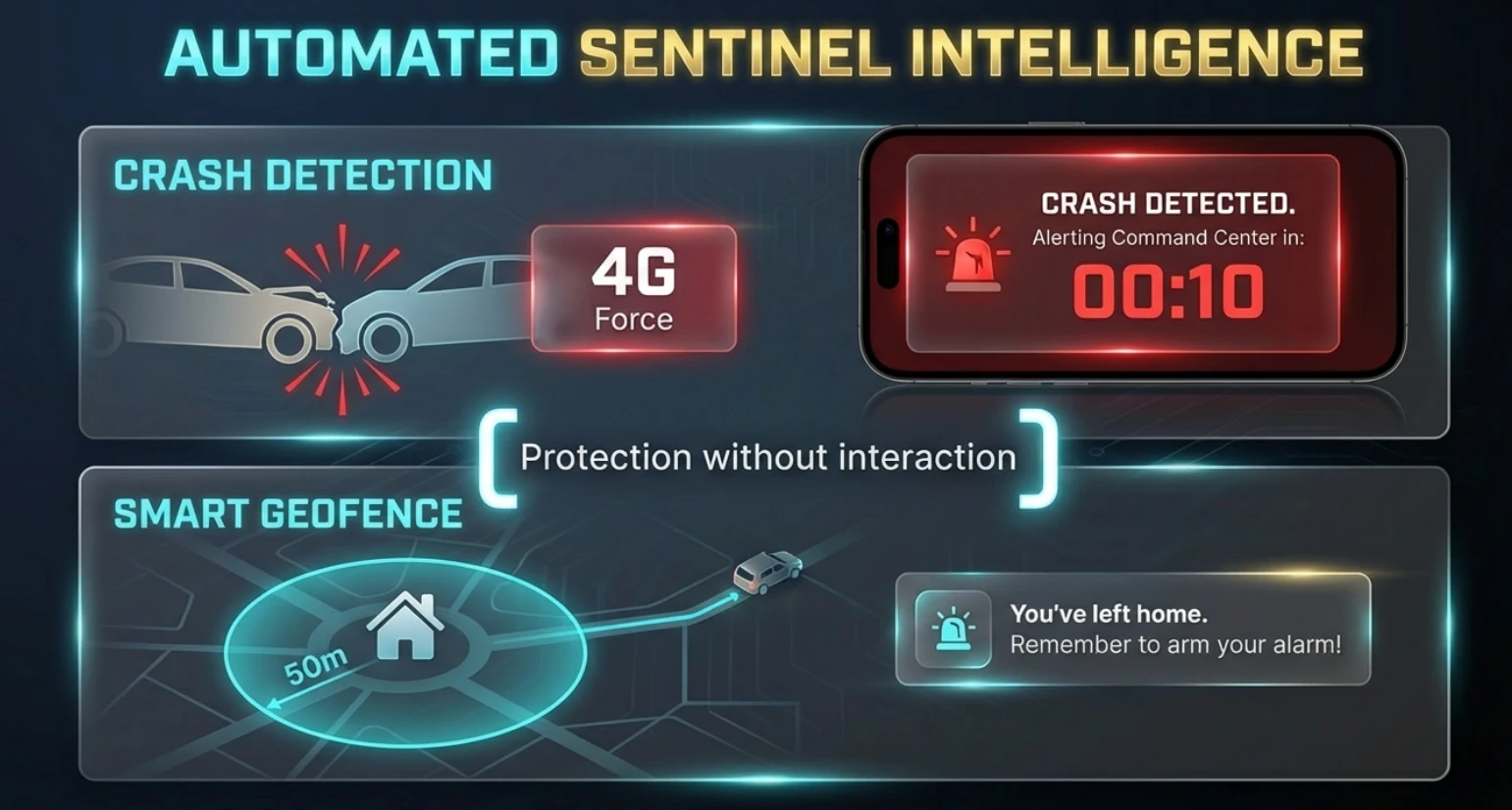
After a serious collision, the driver may not be able to call anyone. Crash detection watches for the kind of impact a phone feels in a high-speed collision. When it detects one, a ten-second countdown starts on screen. If you are fine, you cancel it. If nobody does, the control room is alerted with your location, your vehicle details and your medical profile.
Crash detection needs the app open on screen, so it suits the times your phone is in a holder for navigation.
Arriving home
Arriving home is one of the most predictable moments in anyone’s day, which is why it deserves a routine. Police and security companies give consistent advice about it.
Guardian’s smart geofence helps with the other end of the day: when you leave home, it reminds you to arm your alarm, so the house is protected while you are out.
- Pay attention for the last few kilometres, and check your mirrors for a car that has followed you through several turns.
- If you think you are being followed, do not turn into your driveway. Drive past, and go to a police station or a busy, well-lit place.
- Avoid waiting in the street for the gate. A gate motor in good working order shortens the time you sit still.
- Stay off your phone at the gate. That is the moment to look around, not down.
- Keep Ghost Panic where you can reach it without looking.
Bringing the family in
Personal safety works better as a family habit than as an individual one. In Guardian, the family circle shows everyone’s location and phone battery on one map, so you can see that someone has arrived without having to ask, and a dead phone is not mistaken for an emergency. If anyone in the circle raises a panic, everyone else is notified at once.
Agree a few things as a family: who starts a journey for which trips, what each alert means, and what to do if you receive one. Five minutes around the dinner table is enough, and it means everyone knows the plan before it is needed.
Common questions
Does Journey Watch track me all the time?
No. A journey is visible to your family and the control room while it runs, and ends when you confirm you have arrived. Sharing your location with your family circle is a separate setting that you control.
What if I am running late?
Add five or fifteen minutes from the journey screen. A journey only escalates if the timer runs out without you confirming that you have arrived.
Will crash detection go off if I drop my phone?
It is designed for the forces of a high-speed collision, and it starts a ten-second countdown before alerting anyone, so you can cancel a false alarm.
My response company does not offer this. Can I still get it?
Guardian is offered through armed response companies, under their own name. Share this article with yours. If they would like to offer it, they can contact us on WhatsApp.